
 X
X Facebook
 LinkedIn
 WhatsApp
 Mail
Mail Copy link
Tips for adding new employees

Updated 1st April 2026 | 2 min read Published 25th August 2016

Adding new employees in myPay Solutions Direct? Follow these simple but effective data entry tips:
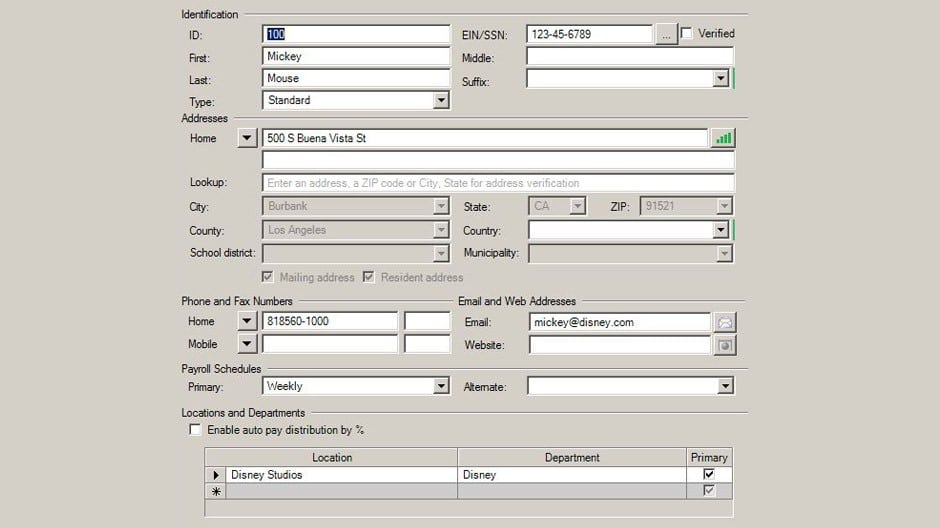
Verify the employee’s physical address so that all applicable taxes are calculated properly.
To verify an address, enter as much of the employee's address as you know in the Lookup field (the third field), and then press TAB. The application will prompt you to select from a list of suggested addresses or to confirm the validated address. Once validated, all of the pertinent address information will display in the respective fields, and the address verification indicator next to the first field in the addresses section. Once an address is verified, the indicator will be fully lit up with green bars, as shown in the screenshot below.
Note: Always use the employee’s street address. Post office boxes are not valid, per IRS regulations
Always reference proper supporting documentation when adding an employee’s direct deposit information.
Acceptable supporting documentation consists of any one of the following: A letter on the bank's letterhead, a voided check and/or a bank specification sheet with pre-printed account information.
Deposit slips should not be used. Proper supporting documentation is the best way to ensure the account information is accurate and the net funds will be distributed to a valid bank account for the employee.
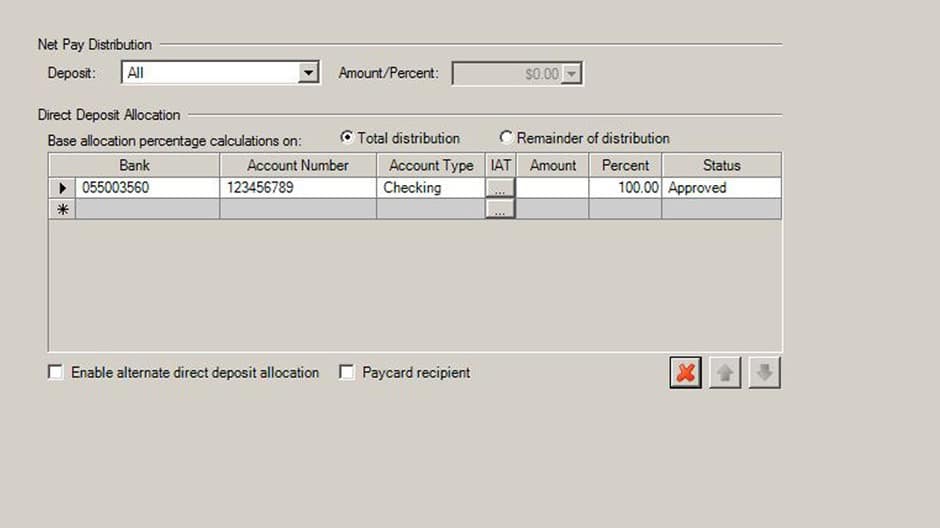
Entering the bank information
Another step to ensure new employee information is entered correctly is accurately entering all of their banking information is entered.
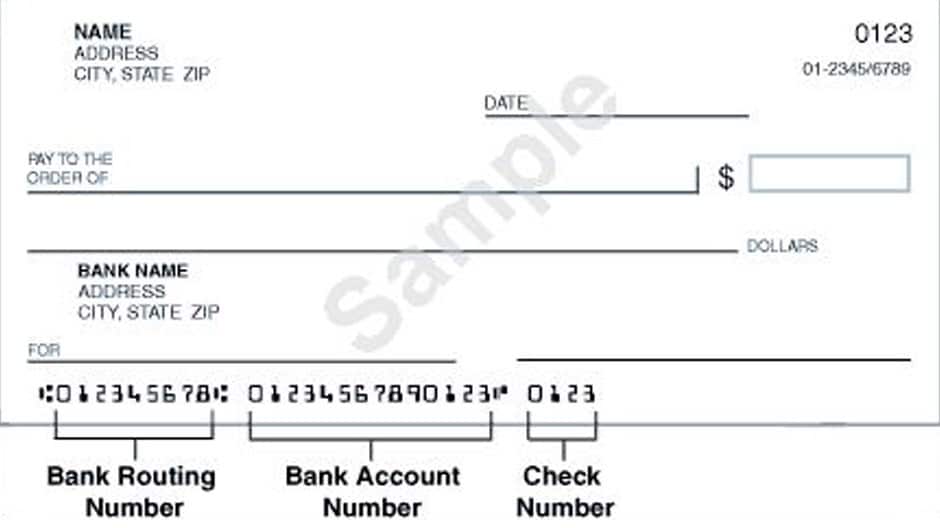
Bank—The routing number from the bottom left corner of the check
Account Number—The account number from the bottom middle or right of the check
Do not include the check number in the routing or account number fields.
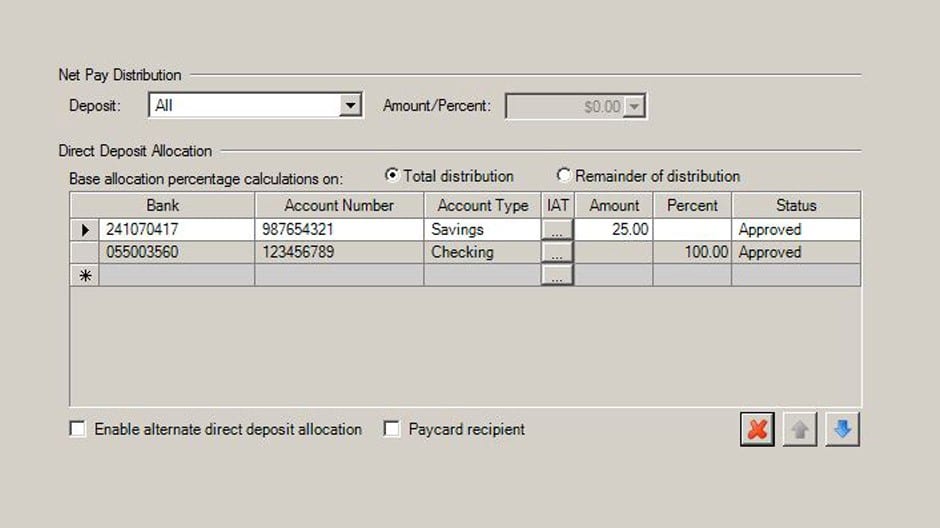
Unless your employee does not have proper documentation, set the Status to Approved to ensure immediate activation of your employee’s direct deposit.
For more information, please call your payroll specialist.

Older Posts

Navigating a new or unfamiliar web application can be tricky.Occasionally, our payroll specialists are asked for tips on how to use the myPay Solutions’ web…

Over the years I have had hundreds of conversations with accounting firm partners and IT managers about the implementation of document management (DM) and workflow…

A workflow is a formal customized business process, a method multiple team members with differing responsibilities can use to feel confident they understand each other,…